Wi-Fi router EMF: should you shield it or move it?
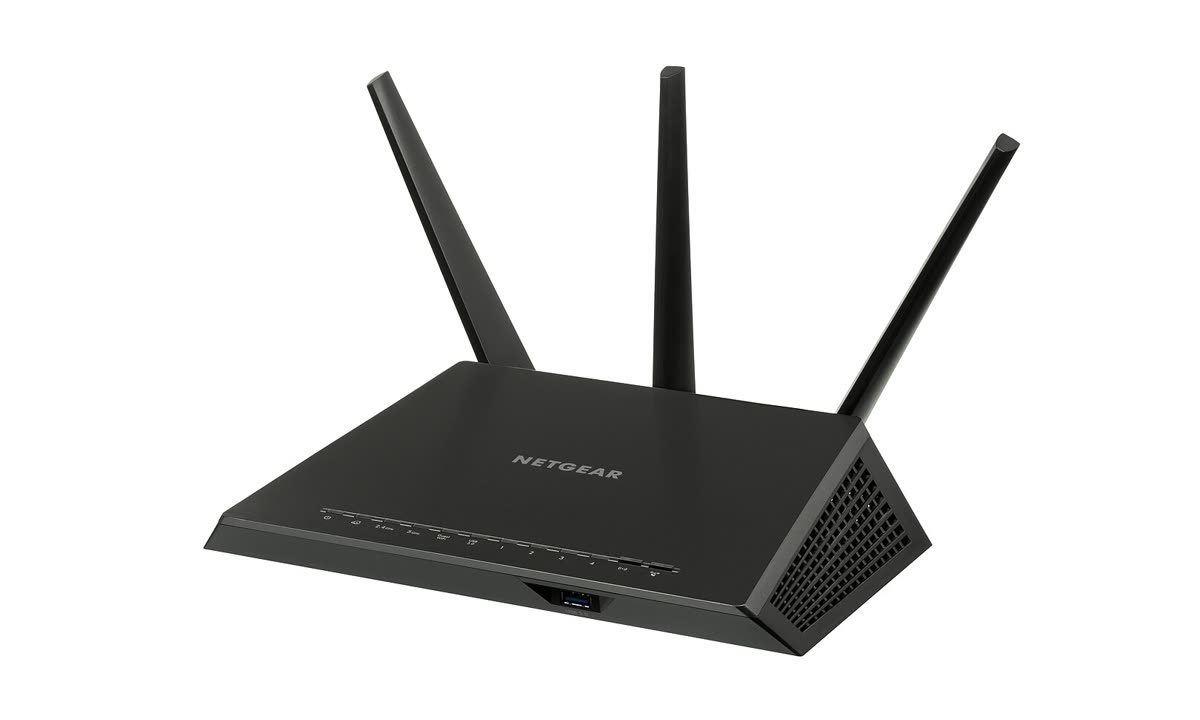 Photo: Evan-Amos, Wikimedia Commons, public domain, resized.
Move it. A router's power density falls with the square of the distance, so doubling the gap leaves a quarter of it where you sit. A metal mesh guard cuts the signal toward your own phone and laptop just as much as toward you, which mostly makes your Wi-Fi worse.
For context, the FCC approves a wireless device for sale only if it meets the exposure limits at its highest possible power, and the FCC's consumer guide on wireless devices says it "does not endorse the need" for extra precautions. If you want less signal near your bed or couch anyway, the steps below change the numbers. A guard mostly doesn't.
What does a home router transmit?
Home Wi-Fi uses up to three bands. The FCC's home network tips say modern routers often have two or more Wi-Fi signals, one at 2.4 GHz and one at 5 GHz. Newer routers can add 6 GHz, which the FCC opened to unlicensed use on April 23, 2020.
Part 15 of the FCC rules caps each band:
| Band | Frequencies | FCC ceiling for a router | Rule |
|---|---|---|---|
| 2.4 GHz | 2400-2483.5 MHz | 1 watt (less with antennas over 6 dBi) | 47 CFR 15.247(b) |
| 5 GHz, lower | 5.15-5.25 GHz | 1 watt, indoor access point | 15.407(a)(1) |
| 5 GHz, middle | 5.25-5.35 and 5.47-5.725 GHz | 250 mW or less | 15.407(a)(2) |
| 5 GHz, upper | 5.725-5.85 GHz | 1 watt | 15.407(a)(3) |
| 6 GHz | 5.925-7.125 GHz | 30 dBm EIRP (1 watt), indoor access point | 47 CFR 15.407(a)(5) |
These are legal maximums, not a reading of your router. Your phone and laptop are radios too. In the lower 5 GHz band the rules cap a client device at 250 mW, a quarter of the router's 1 watt, and on 6 GHz at 24 dBm EIRP, about 250 mW. The FCC's RF safety FAQ says you can look up your own model by the FCC ID printed on it.
Why distance matters most
That same FAQ says power density "decreases rapidly as one moves away from the antenna." The FCC's engineering bulletin, OET Bulletin 65, gives the far-field formula: power density equals EIRP divided by 4πR², where R is the distance. Because R is squared, twice as far means one quarter.
Same router, same output, open space, 3 feet = 100%. Walls and reflections ignored, so a real room will not match exactly.
| Distance from the router | Relative power density |
|---|---|
| 3 ft | 100% |
| 6 ft | 25% |
| 10 ft | 9% |
| 15 ft | 4% |
| 20 ft | 2.25% |
Example, our calculation: (3 / distance)² from the far-field formula S = EIRP / (4πR²), Equation 4 in FCC OET Bulletin 65.
Say the router sits on your nightstand about 3 feet from your head. Put it on a shelf 15 feet away and, in open space, about 4% of the power density reaches your pillow. Rooms aren't open space, and OET 65 notes that reflections can concentrate fields in small spots, so a meter won't follow this curve exactly. The direction holds, though.
One catch: the same FCC tips suggest a central spot for coverage. A hallway or a room you pass through but don't sit in is often central enough.
What a metal mesh router guard really does
We could not find an FCC or FTC test of router guards. What follows is our explanation from basic physics, not a lab result.
A metal mesh box weakens radio waves that pass through it. It can't tell your body from your laptop. Whatever it removes in your direction, it removes in the direction of every device that needs the signal. Expect slower or dropped Wi-Fi in far rooms, starting with 5 GHz, which the FCC says already has the shorter range.
The bigger problem is at your end of the link. The phone and laptop in your lap transmit too, and a weaker connection can keep them on the air longer to move the same data. The FCC made a similar point about phone shields: they "generally do not work as advertised" and can force a phone "to increase power to compensate." That was about phones, not routers, but the logic carries over.
Already own a guard? Run a speed test from your usual seat with it on, then off. A big drop means the guard is doing what it says, to your phone as much as to you.
Options that change something
| Option | What it changes | Trade-off |
|---|---|---|
| Move the router from 3 ft to 15 ft away | About 4% of the power density at that spot (open-space example) | You may need a longer cable from the modem |
| Wi-Fi schedule in the router settings | Wi-Fi turns off during the hours you pick; wired devices stay online | Check the manual to see if yours has one |
| Outlet timer on the router link soon | The whole router powers off overnight | Everything goes offline, wired devices included |
| Ethernet cable for desk devices link soon | That device's data moves over the cable | Switch its Wi-Fi off too, or it may stay connected wirelessly |
| Turn off a band you don't use | One fewer radio broadcasting | Devices that only use that band lose their connection |
| Metal mesh guard | Weaker signal in every direction it covers | Slower Wi-Fi for you and every other device |
The FCC tips back the cable option for a different reason: a direct Ethernet connection "will provide the highest speeds." A laptop without a port can use a USB Ethernet adaptor link soon.
A quick checklist
- Measure the distance from the router to your pillow and to the spot where you sit most.
- If the router lives on a nightstand or a couch-side table, move it first.
- Look for a Wi-Fi schedule in the router's app or admin page and set it for your sleep hours. No schedule? An outlet timer does a cruder version.
- Cable the things that never move, like a desktop or a TV.
- Turn off any band none of your devices use.
- If you keep a guard, test it with a speed test before you trust it.
Start with a tape measure. If the router turns out to be 3 feet from your pillow, moving it lowers the number at your head without slowing anything else in the house, which is more than a guard can say.